s9626203
2010年11月8日 星期一
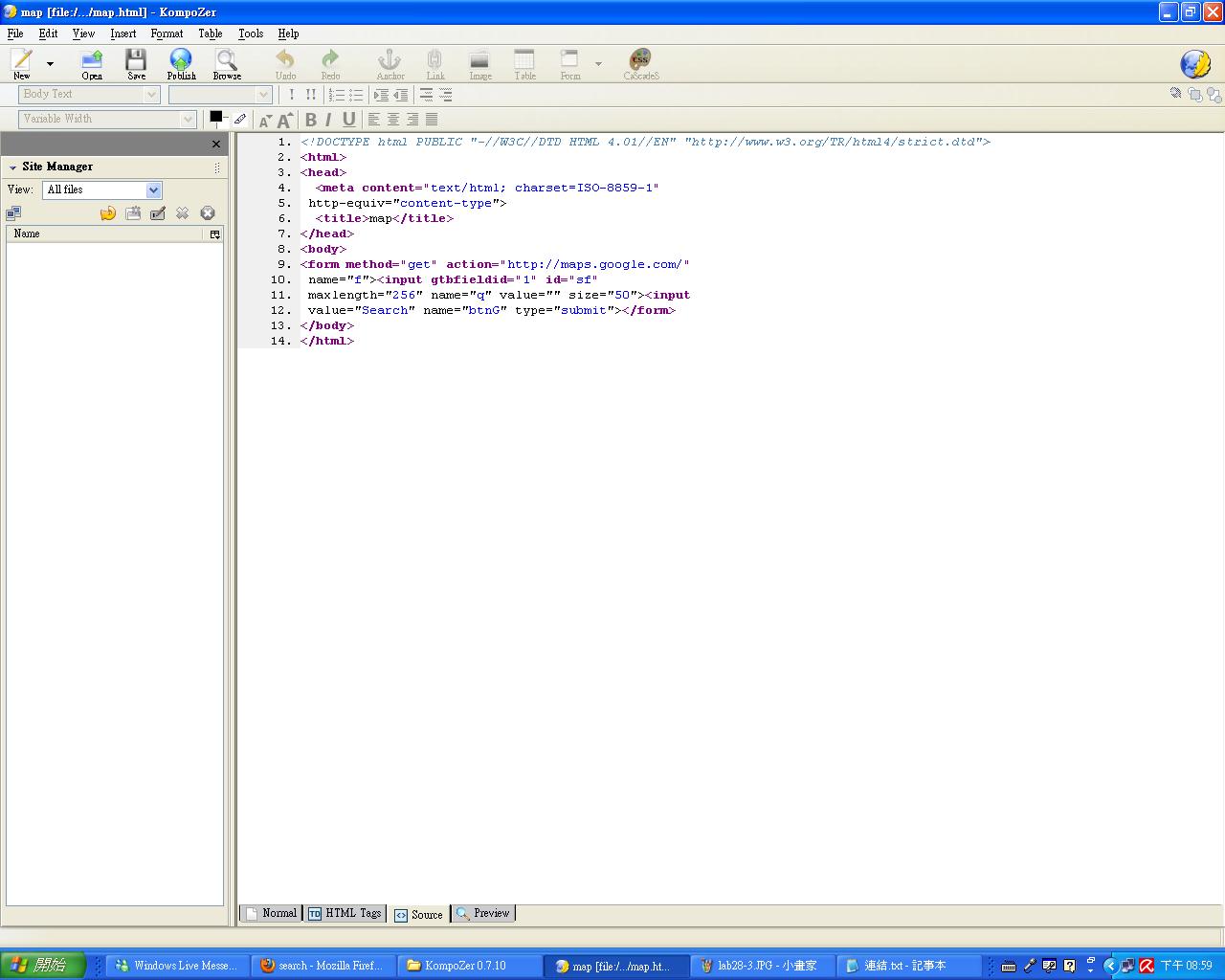


Lab 28 Lab Form and Action
set Action="http://google.com/search" and name of Form as "f" and method as "get"


Set method as "post"

標籤: Labs
2010年11月1日 星期一

Lab 25: Mash-up 2 (Maps)
1.美感:
7house:較為傳統的呈現方式,雖然物件整齊排放,但因物件繁多,顯得些許凌亂。
housingmaps:乾淨整潔的呈現方式,就只有一張地圖,省去其餘使用者或許不需要的訊息。
2.直覺性:
7house:擁有關鍵字搜尋功能,能快速尋得想要的資訊。
housingmaps:以地區分類,並使用地圖點選,非常直覺式的操作。
3.流暢:
7house:較為習慣的使用模式,搜尋後條列示的資訊,整齊分明。
housingmaps:若搜尋的條件較廣,搜尋後地圖上出現過多的標誌,稍顯雜亂,條列式的資訊 也較少。
4.預期反應:
較為傳統的7house或許較能被接受,但housingmaps的直覺式操作也很便利,雖然ㄧ開始不太 適應,但若能提供兩種方式的服務,或許會更加便於使用,也能滿足各種使用者。
標籤: Labs
2010年10月31日 星期日
期中報告
期中報告-網站建議書
定位:
建立一個互動式的公告平台
目標:
將96級電子乙班之班上大小事務皆公告於此,並引發同學互動,凝聚班上向心力。
背景:
大三大四後,班上共同之必修課程較少,班上同學愈發生疏,且無公告重要事項之平台,藉此機會營造一個平台,既能公告事務,亦可使班上同學增加互動。
連結:電子四乙布告欄
2010年10月25日 星期一


2010年10月18日 星期一


Lab 20 More on HTML
Headings
1. Copy and paste the Headings example at http://www.w3schools.com/html/html_primary.asp
2. Enter http://www.w3schools.com/html/tryit.asp?filename=tryhtml_basic
3. What kind of effects can you see?
1. Copy and paste the Headings example at http://www.w3schools.com/html/html_primary.asp
2. Enter http://www.w3schools.com/html/tryit.asp?filename=tryhtml_basic
3. What kind of effects can you see?

4. Copy and paste the Headings example athttp://www.w3schools.com/html/html_lists.asp
5. Enter http://www.w3schools.com/html/tryit.asp?filename=tryhtml_basic
6. What kind of effects can you see?

標籤: Labs
Lab 19 HTML
1. Using Microsoft Notepad, Copy and paste the HTML example at Introduction to HTML
2. Save the file as myfile.html
3. Open the file using Firefox.

4. Enter http://www.w3schools.com/html/tryit.asp?filename=tryhtml_basic
5. Copy and paste the HTML example at Introduction to HTML
6. Verify your results on the screen.

標籤: Labs
Lab 18 Comparing browsers
Google Chrome
有著簡潔清晰的操作介面,在網頁的瀏覽速度上也快上許多,但目前還有許多網頁不支援。且"我的最愛"可儲存在網路上,只要登入,隨處皆可使用已儲存的"我的最愛"功能,非常方便,重灌電腦也不怕忘了備份"我的最愛"。Firefox
擁有許多的外掛工具,而市佔率也非常普遍,與IE較相近,因此IE使用者較能習慣。 標籤: Labs
2010年10月11日 星期一


2010年10月4日 星期一
Lab 13: Google Mars
1. Observe how Google Mars loads the map and does the zooming. Is the data downloaded once for all or retrieved on demand?
Answer: retrieved on demand
2. 這個服務的特色有哪些?
Answer:有別於以往只觀察地球,可以觀測火星的狀態,非常有創意而且也很吸引人,還可以標示出各種地形的所在。
標籤: Labs